
Your AI Transaction Coordinator, from documents to next steps.
RapportLink helps real estate agents organize and review the documents, people, deadlines, and checklist items behind a transaction. Move between the deal overview and its source records, see what needs attention, and keep agent work and broker review connected.
Connect the transaction’s client, professionals, and documents.
Review source terms, dates, tasks, and checklist items.
Resolve outstanding work and complete the applicable broker review.
Review the documents behind the transaction
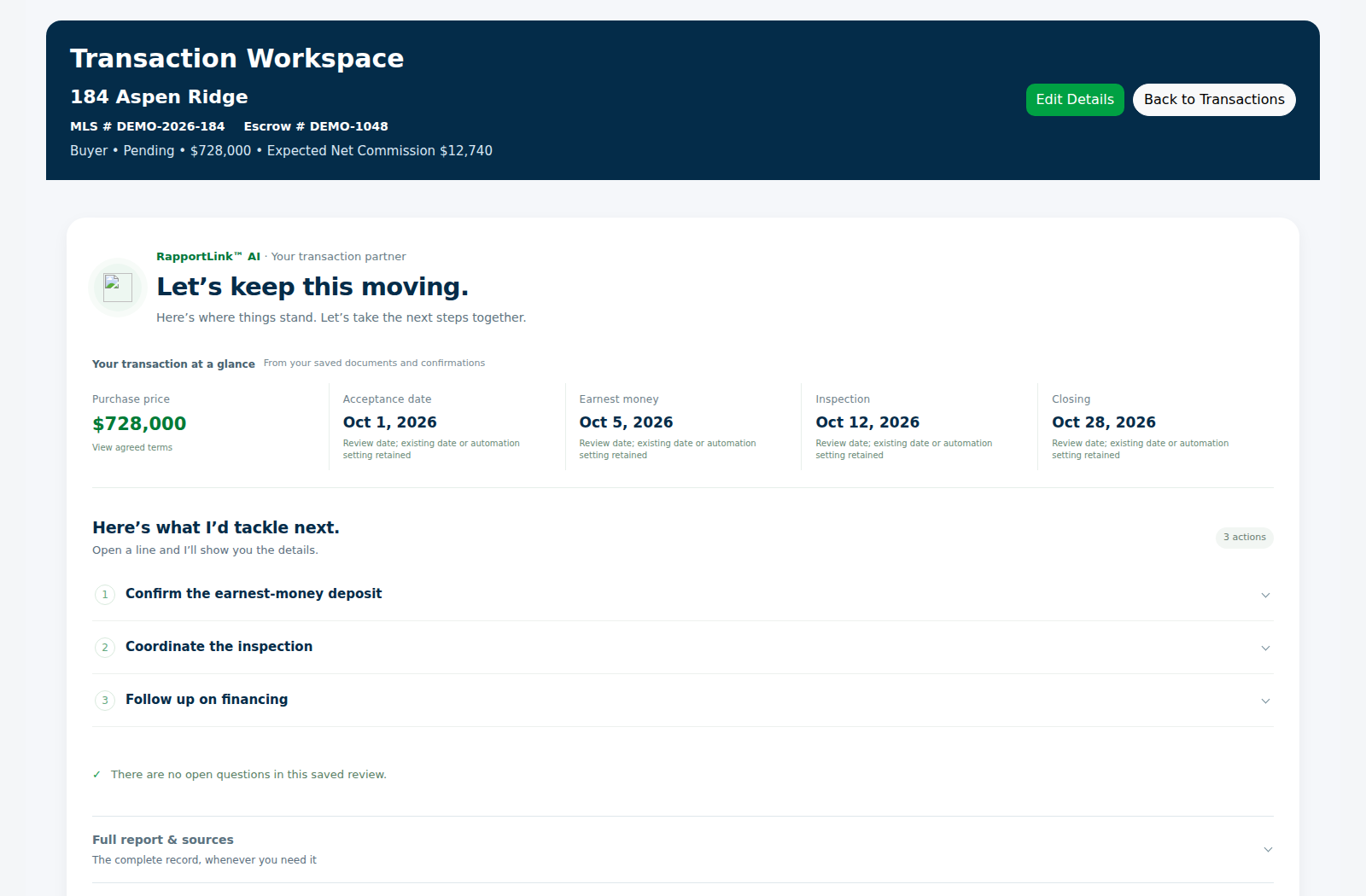
Upload the transaction documents and review the available analysis with the source records. A purchase agreement, counteroffer, disclosure, or later addendum can change your understanding of the deal. RapportLink’s transaction workspace keeps documents close to the dates, tasks, and checklist they inform. Verify the interpretation against the signed file, especially when documents contain conflicting terms, incomplete selections, or changes to an earlier agreement.
See the dates and tasks that need attention
Use Dates & Tasks to review the milestones and action items associated with the transaction. Transaction-linked calendar entries provide a route back to the deal, so the date is connected to its context. If an addendum changes closing or another deadline, review the updated document and the corresponding date before relying on it. This workflow gives you a place to check the source, identify the next step, and organize the work around it.
Use the checklist to follow the work
The transaction checklist provides a view of the items to work through as the deal progresses. Review the supporting information and any outstanding items instead of treating a progress percentage as proof that every obligation is satisfied. The transaction workspace separates documents, dates and tasks, checklist items, and notes and activity, so you can move from a summary to the detail needed for a decision. Broker checklist decisions are handled in the broker’s authorized view.
Keep the client and professionals with the deal
People & Vendors connects the buyer or seller with the transaction’s lender, title or escrow officer, inspector, cooperating agent, and other participants. When an inspection item needs attention, you can identify the professional connected to that transaction. When a question concerns escrow, you can return to the corresponding contact. These are relationships inside RapportLink; assigning a role does not automatically send private documents or connect to another company’s software.
Carry the file into broker and commission review
Authorized brokers can open the transaction, examine supporting details, work through a Broker Checklist, and save a review status and broker-only notes. Commission review is another distinct step: check gross commission and recipient allocations before final approval and reporting. A closed transaction, an approved broker review, and an approved commission describe different parts of the process. RapportLink gives those decisions their own places so you can check what has actually been completed.
Example: review a changed closing date
An agent receives a signed addendum changing the closing date. The agent adds it to the transaction, reviews the analysis and source wording, checks the transaction’s closing date and associated tasks, and identifies any follow-up with the client or escrow contact. The broker can review the supporting file and record the appropriate review decision. This example illustrates the review workflow; it does not assume every related deadline changes automatically or that external parties receive an update without a communication action.
Common questions
What does RapportLink’s AI Transaction Coordinator do?
It assists with organizing and reviewing transaction documents, people, dates, tasks, checklists, and next steps within RapportLink. The agent can return to the source records to verify the details.
Is a human transaction coordinator included?
The AI Transaction Coordinator is software within RapportLink, not a separate human coordinator assigned to the file. Decide which work your transaction still needs an agent, broker, or other professional to perform.
Can I review a purchase agreement and later addenda together?
You can keep the documents with the same transaction and review the available analysis alongside the source records. Confirm how later signed documents affect earlier terms and deadlines.
Do I still need to verify AI-generated dates and findings?
Yes. Check dates and terms against the signed documents. Document quality, amendments, and transaction circumstances can affect interpretation.
Can the broker review the same transaction?
Yes. Authorized brokerage users can review transactions through the broker workspace, with a Broker Checklist, review status, and broker-only notes.
Does a completed checklist automatically approve the commission?
No. Transaction checklist completion, broker review, and commission approval are separate steps. Review each relevant status before treating that part of the process as complete.
See how RapportLink fits your business.
Explore the product and the current account options.